01 · What it is
The documentation is written where the treatment happens
Practice software for non-surgical aesthetic medicine: request, appointment, disclosure, treatment, photo, payment, invoice. One system for practices without an operating theatre.
A full SaaS product, bootstrapped, in daily use in one pilot practice before the market launch.
- Who touches it
- Practitioner, reception, owner, and the patient on the booking page
- Where
- Computer at the desk, iPhone in the treatment room, browser on the patient's phone
- When
- Right after the treatment, in the minutes before the next patient. Not in the evening from memory.
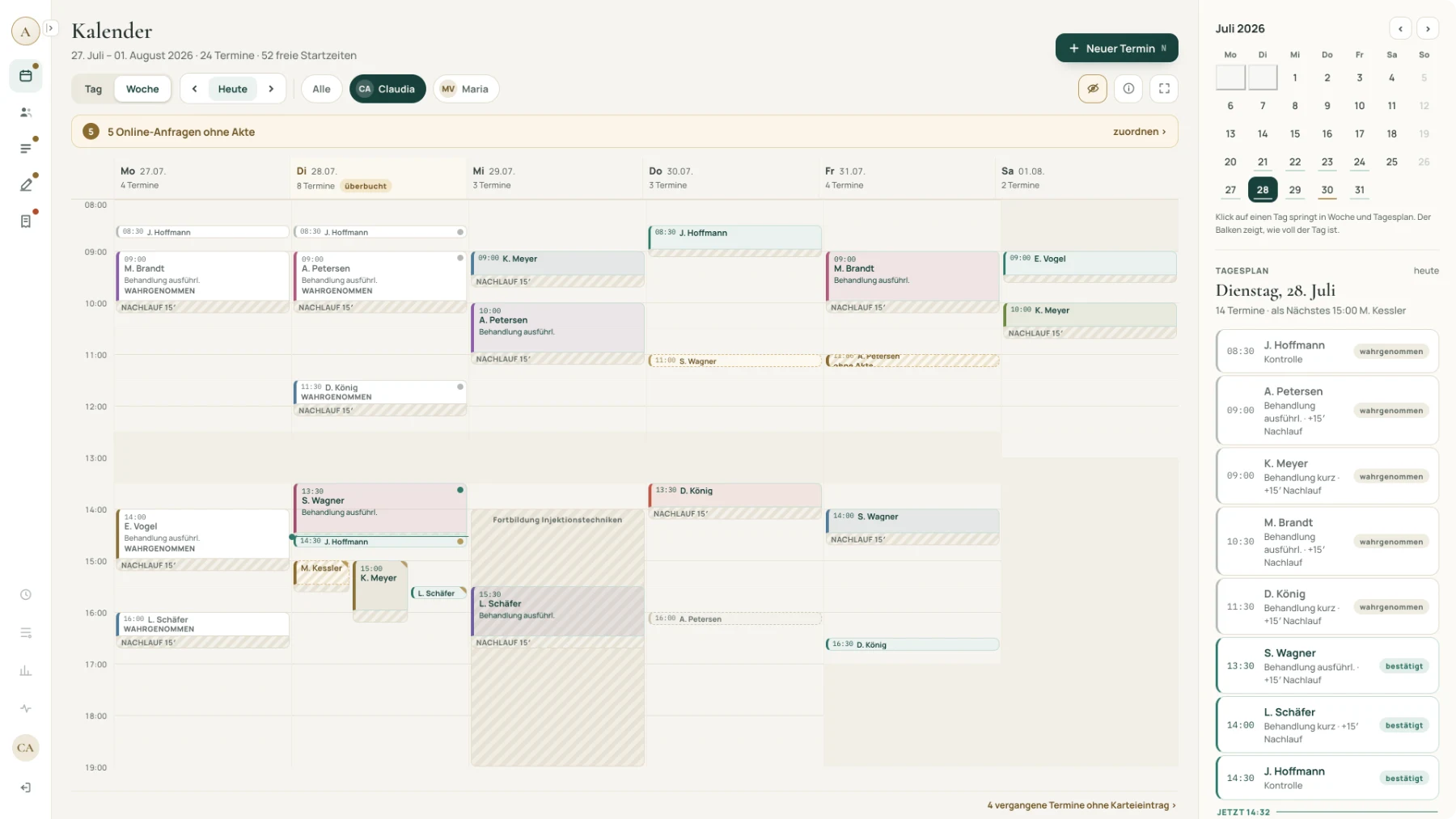
Draft screens. Practice, patients, dates and batch numbers are example data.
02 · Why we started it
Built for a different profession
Everything on offer is built for statutory-insurance practices or for clinics with an operating theatre. The first has no catalogue with areas, units and batch numbers. The second brings an implant registry to a practice with two treatment rooms.
There are credible alternatives on the market. What they do not have is the practice in the room where the product decisions are made.
-
01
Two disciplines, two people
Shiva holds the clinical veto: what does not work at the treatment chair does not get built. I bring the product side and ship it.
-
02
Built on a living practice
Changes come from observed treatment days, not from a backlog benchmarked against competitors.
-
03
AI that has to hold up
A medical record is the hardest place to put a language model, which makes it the honest test.
03 · Who it is for
Two treatment rooms, not an operating theatre
Private-pay practices for injectables and device treatments, from one practitioner upwards. Four roles use it: the practitioner documents, reception admits and cashes out, the owner sees the numbers, and the patient books. Reception and administration are included in the price, because the person at the desk is not the person who bills. What the practice does not need is not in the product, and that list is on the public website rather than in a sales call.
-
No surgical admin
No theatre cockpit, no implant stock, no registry reporting.
-
No statutory billing
No telematics infrastructure, no card reader, no insurance claims. Private-pay treatment only.
-
No marketing suite
No newsletters, no campaigns, no review nudges. A documentation system should document.
Software that claims everything costs a practice a demo to find out it does not fit.
04 · Before the visit
The patient books before anyone at the desk is involved
A visit starts on a booking page under the practice's own name: four steps, no account, no app. Only days with free times appear, so nobody can read how full the week is, and the confirmation names no treatment. From there the work splits across three places, and each one is built for its own posture: the computer at the desk, where several things have to lie side by side. The iPhone in the treatment room, built for the moment something comes into being rather than as a smaller copy of the admin view. And this page, which is the only surface a patient ever sees.
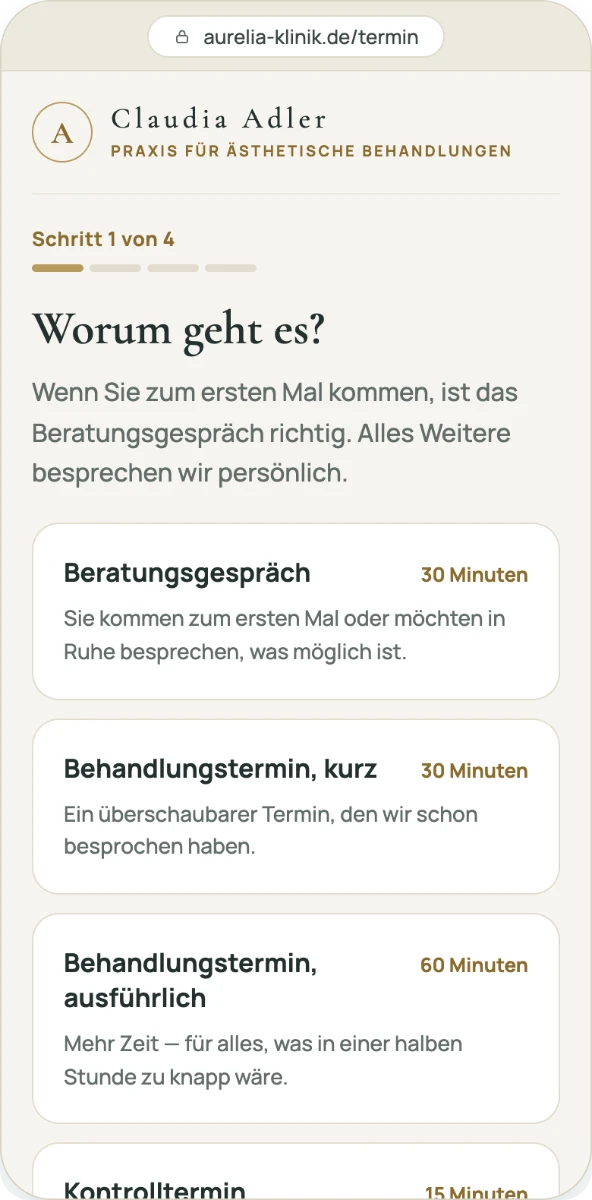
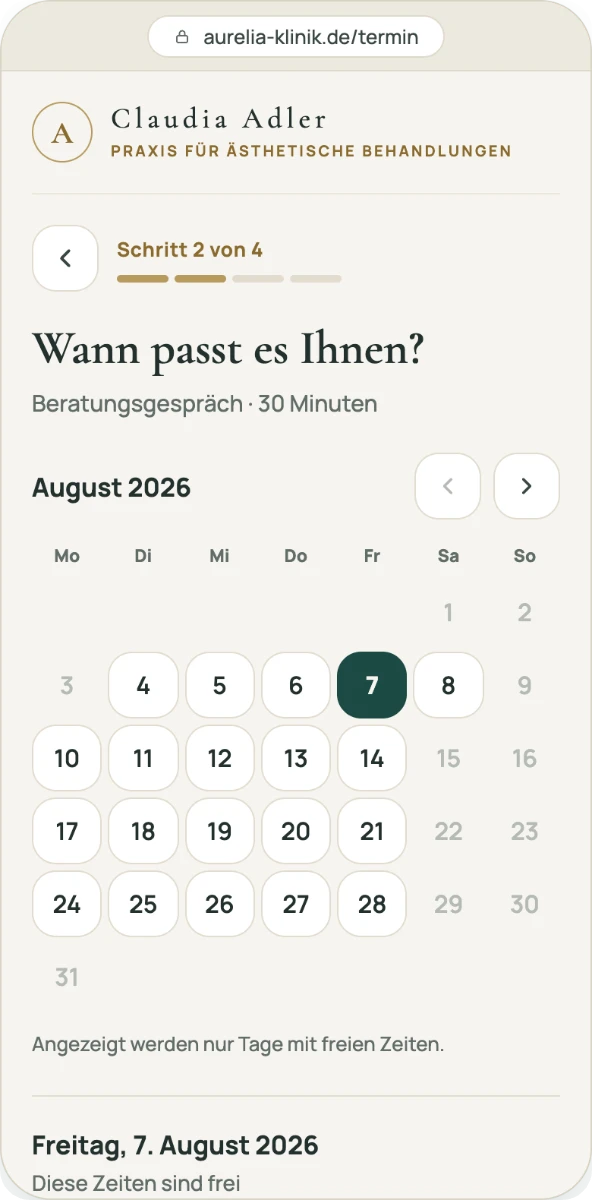
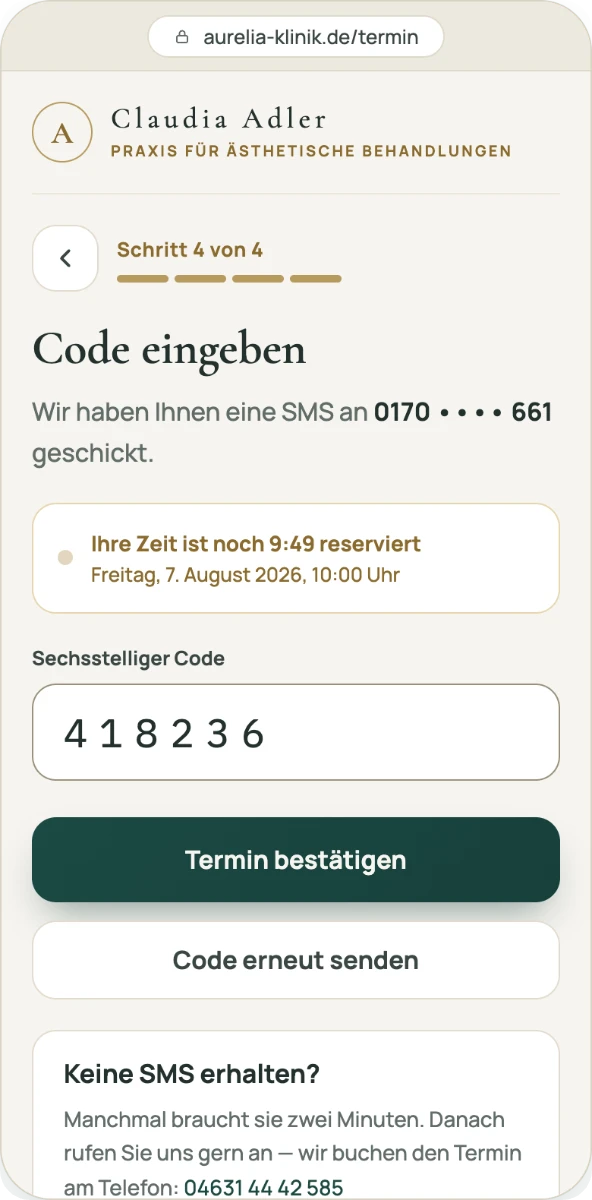
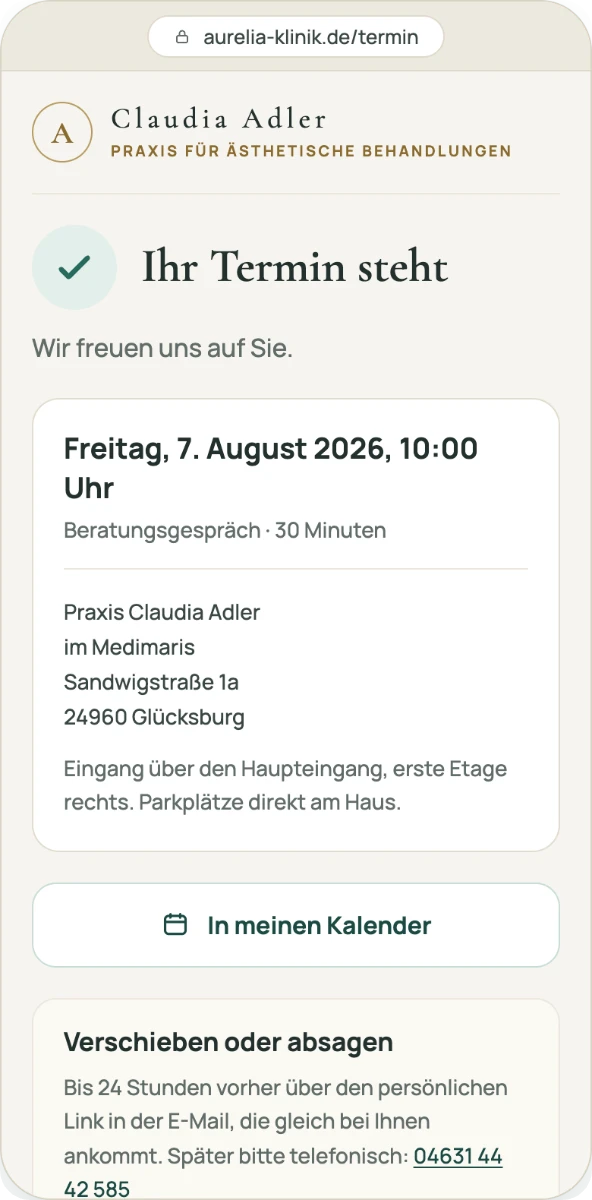
From first tap to confirmation, without an account.
05 · At the chair
Two spoken sentences fill the mandatory fields
AI-assisted · speech processed in the EU
Two sentences while the room is being tidied. Celisara maps them onto the treatment fields § 630f requires and puts the draft up for confirmation. The disclosure points stay untouched until they are ticked. Your confirmation saves the entry, and from then on it freezes.
Spoken
„Hyaluron-Filler Lippen, Cara Hard, ein Milliliter beidseitig, gut vertragen, leichte Schwellung, Kühlung empfohlen, kein Sport für 48 Stunden“
Filed
- Treatment
- Hyaluron-Filler
- Area
- Lippen
- Product
- Cara Hard · 1 ml
- Batch
- required, read off the ampoule
- Disclosure
- 0 of 9 confirmed
- Status
- draft, awaiting confirmation
-
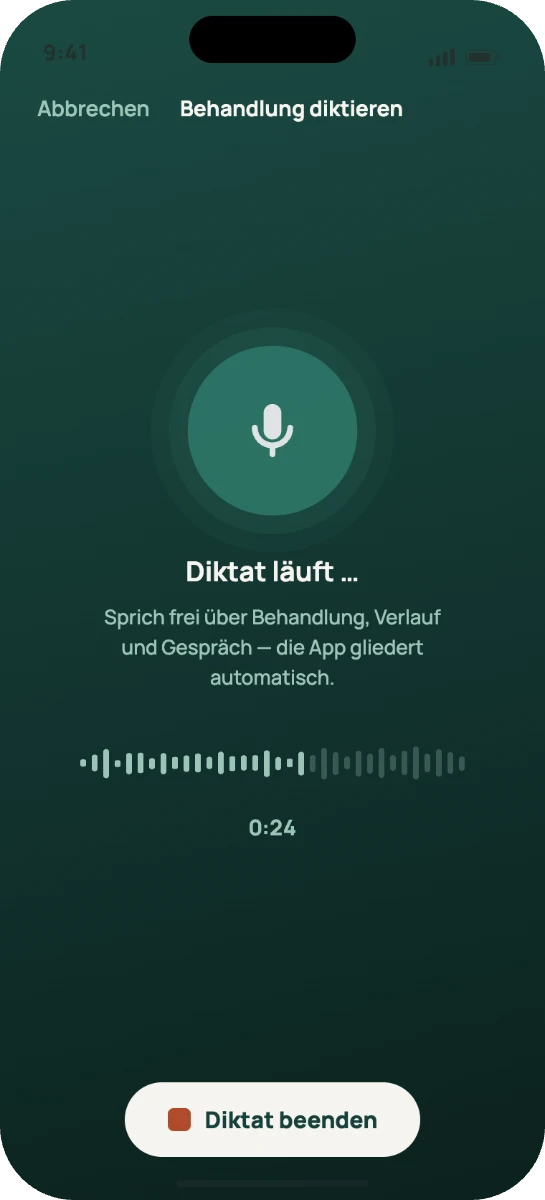
01 SpeakNo form, no dropdowns. Pausable like a voice message.
-
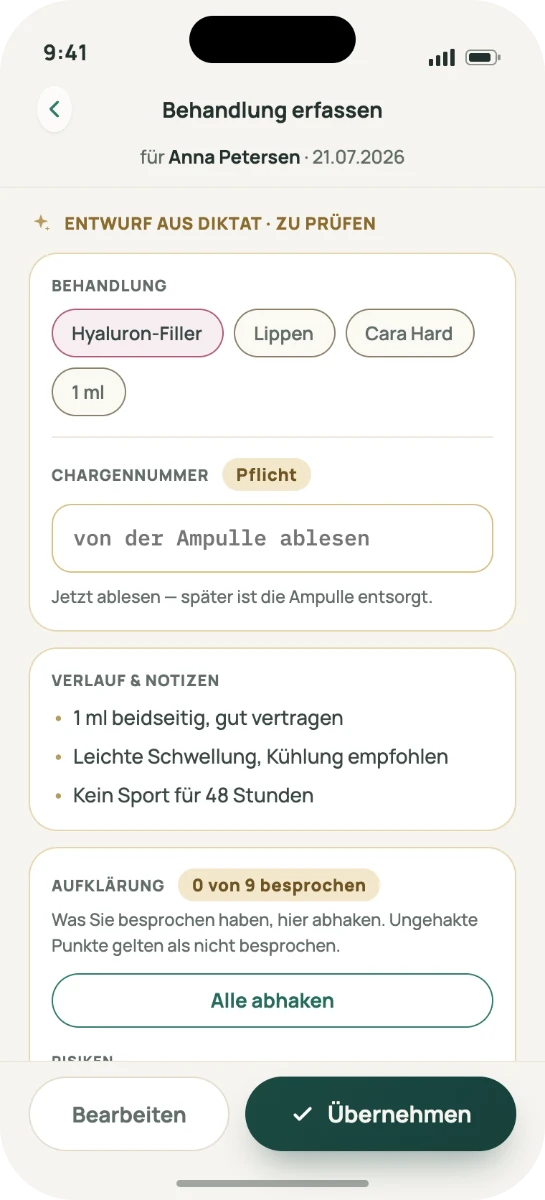
02 CheckThe same lines you would fill in by hand, all editable. The batch number is asked for now.
-
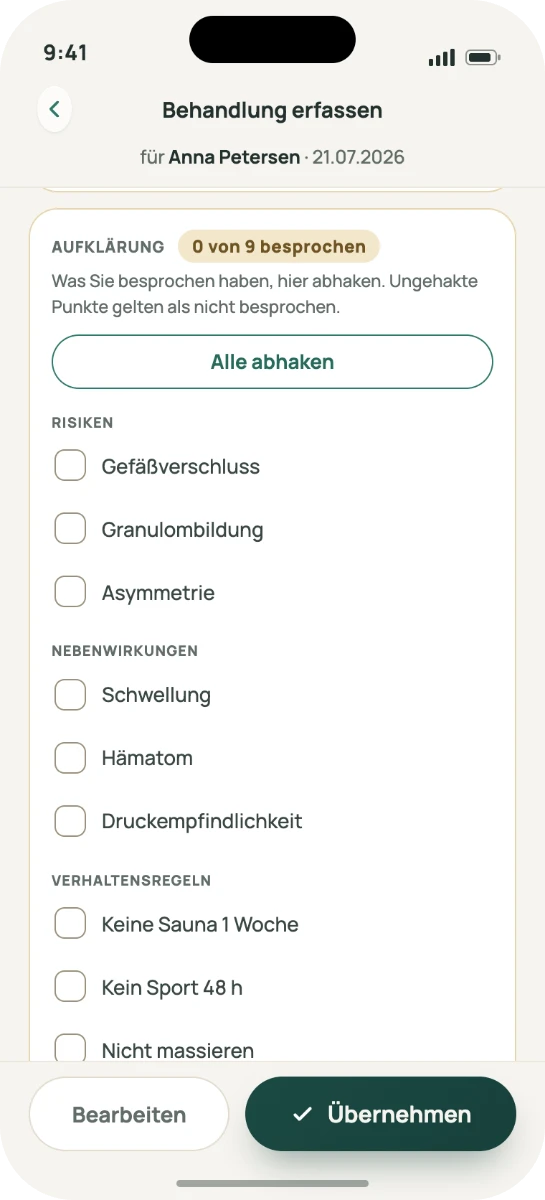
03 Tick offEvery point is confirmed by hand. Unticked counts as not discussed.
06 · After the treatment
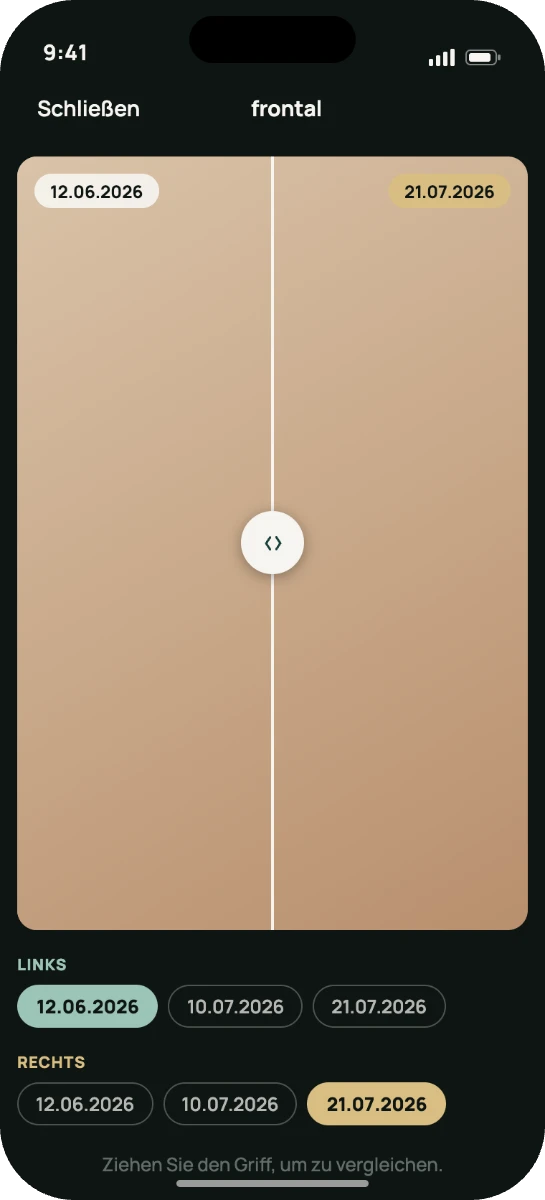
The same angle, twelve weeks apart
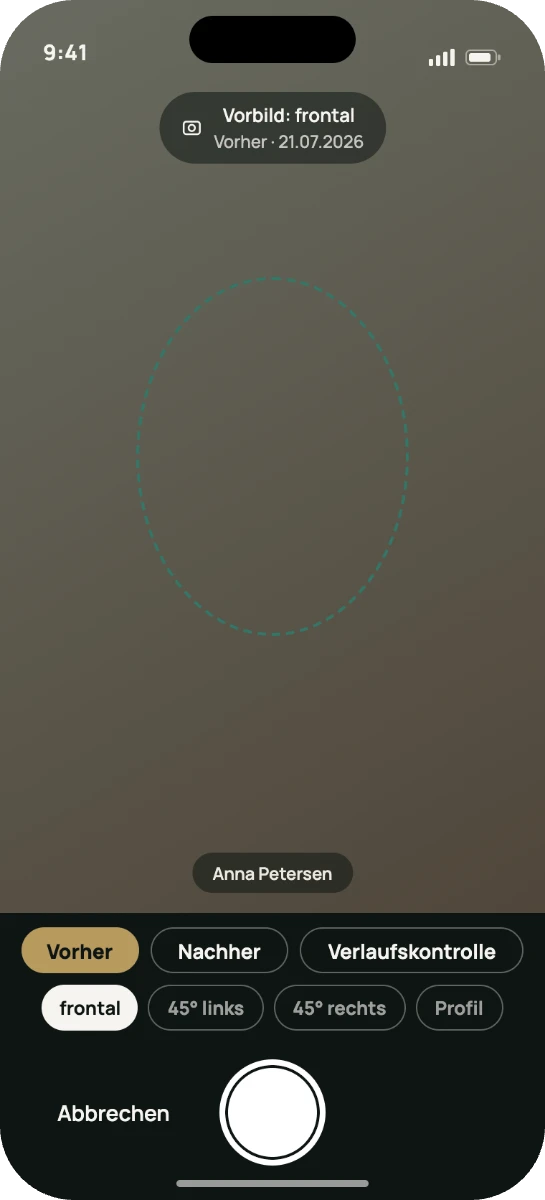
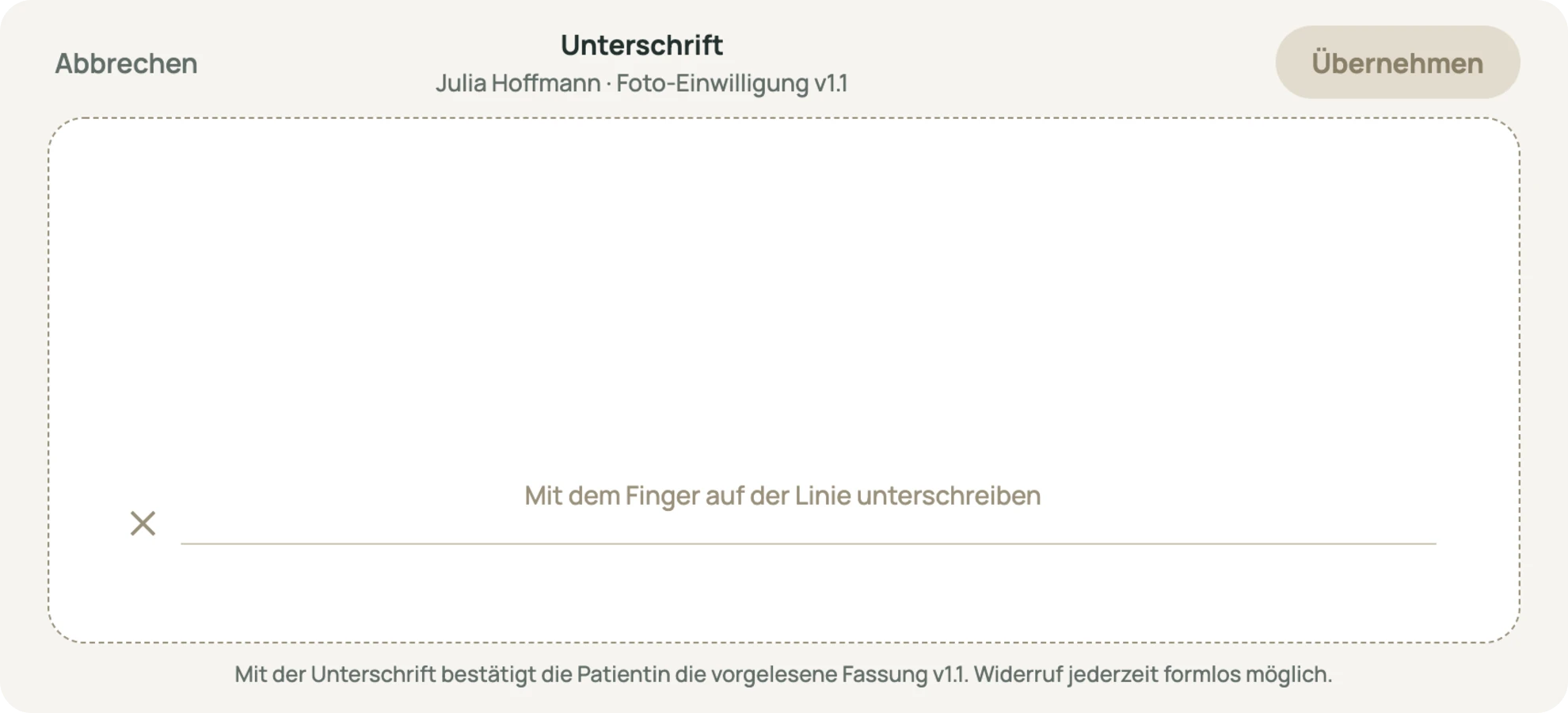
The camera overlays the previous shot, so the angle is matched instead of remembered. Consent is signed on the device and stored with the wording it was given for. Revoking it blocks the camera, not just the display.
07 · Front desk and payment
The day, and what it will invoice
Reception sees who is waiting and for how long. Everything financial comes out of the same catalogue that priced the treatment.
-
Cash out of the appointment
No second system at the counter. The treatment that was documented is the line item that gets paid.
-
Card payment via SumUp
Terminal from SumUp, receipt from Celisara, one flow out of the appointment.
-
Daily close and export
One close at the end of the day, one export the tax advisor can actually read.
-
Undocumented days are counted
Past appointments without a chart entry are tallied at the bottom of the screen, where they cannot be ignored.
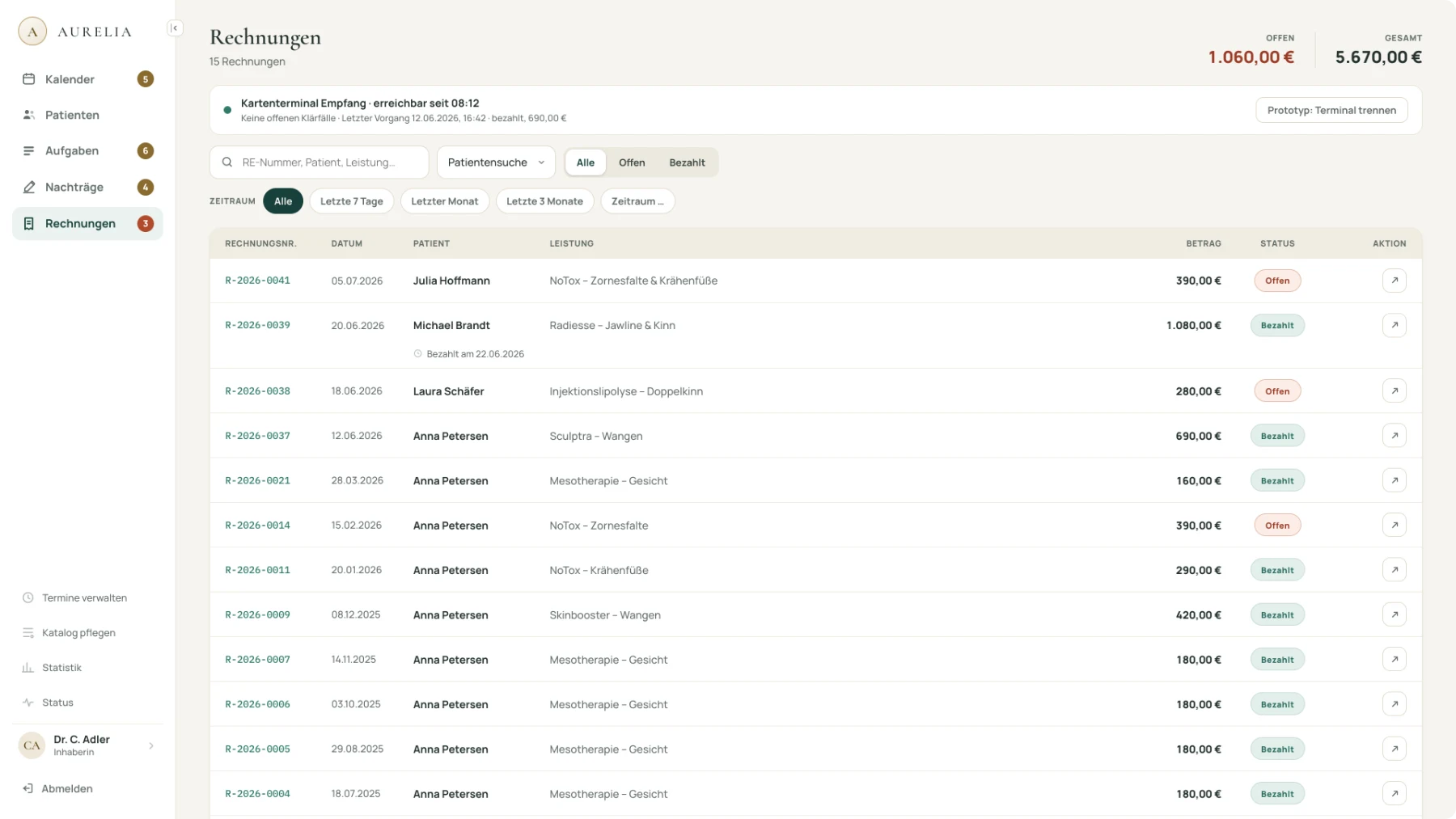
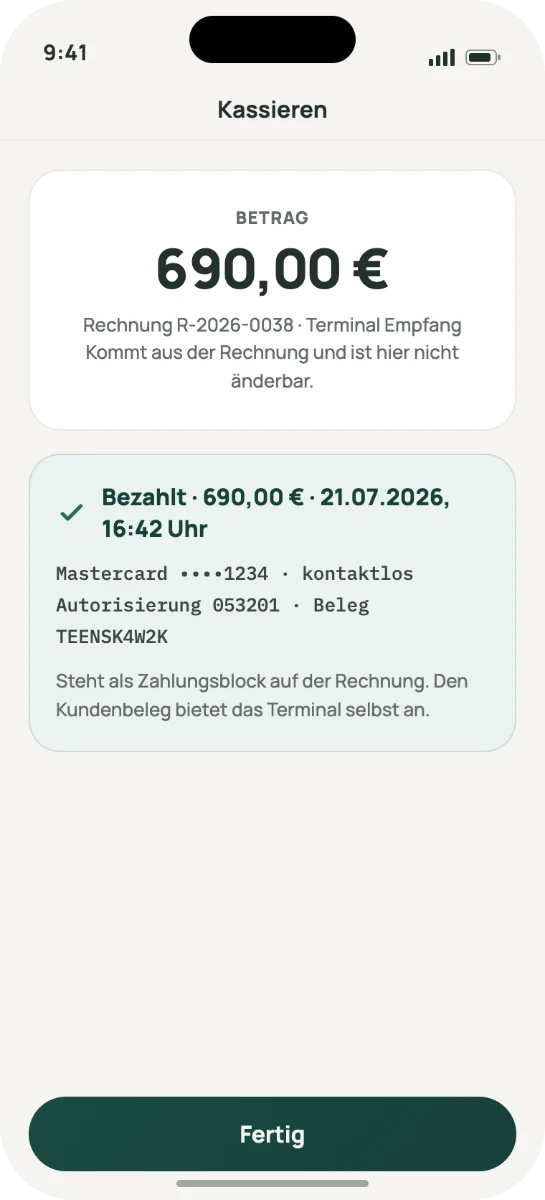
The amount comes from the invoice and cannot be edited at the terminal.
08 · Where the data lives
Article 9 health data, so privacy came first
Every architectural decision started with what happens to the data, not with what the feature could do.
-
EU hosting
Servers and backups inside the EU, subprocessors listed in full.
-
Access is logged
Row-level rules in the database, chart access recorded, two-factor login available on every account.
-
Entries freeze
A correction carries a reason and a timestamp, never a silent overwrite.
-
Your data leaves with you
A full export any time, including on cancellation: records as structured files, photos with their assignment. No fee, no waiting period.
-
Discreet by default
One keystroke shortens every name for a screen the waiting room can see. No treatment names in message subjects.
-
No borrowed badges
No certification logos we do not hold ourselves. A certified data centre does not certify the software on it.
09 · Where we said no
Three places where we said no
AI in a medical record is mostly a question of restraint. These three calls shaped the product more than any feature did.
-
Disclosure is ticked, not inferred
The app never concludes from a transcript that a risk was discussed. „Tick all“ exists as a deliberate act, not as an automation.
-
No chart, no treatment status
An online request gets no further than „arrived“ until a chart exists. Enforced in the data layer, not by a greyed-out button.
-
Text that does not fit is left out
An ellipsis can turn „no complications“ into a different statement. Short space means the field is omitted and marked, never cut.
10 · How it is built
Three rules, one price, and one way in
-
From the day, not the backlog
Changes come out of observed treatment days in the pilot practice, never from a feature list benchmarked against competitors.
-
Reasoned, not just built
Every design decision carries a written rationale. It is tedious, and it stops things happening out of habit.
-
Less instead of more
Each additional function makes the existing ones harder to find. What does not serve the treatment path stays out.
-
One price, all functions
A base price per practice, a small amount per additional practitioner, payment as the one add-on module. No feature tiers, monthly cancellable.
-
We do the migration
Master data, records and photos come across as far as the old system releases them. The practice exports and spot-checks; we do the rest.
Pricing, positioning and the security page are product work too. I write them.
11 · Where it stands
In pilot, bootstrapped, built to fit more than one practice
founders: product and practice
surfaces: desk, treatment room, patient
functions, each with its own page and its own limits
My part: discovery, product decisions, interface design, the design system, the web app, the iOS app, the booking flow, hosting and operations, plus the website, the positioning and the pricing page.
Pre-market, being set up with a limited number of practices, so the interesting numbers do not exist yet. What we will measure: how many entries are filed on the day of the treatment, how often a dictated draft is corrected before it is confirmed, and how many follow-ups are still created by hand.
See it, or ask how we built it
The product is public. Happy to walk through the decisions behind it, including the ones we got wrong first.